| QuickStart | Tutorials | Download | Purchase | Support |
| Reference |  DAuthorize DAuthorize |
 DBuild DBuild |
 DBuy DBuy |
 DCheck DCheck |
 DColorize DColorize |
 DDelete DDelete |
 DDiagnose DDiagnose |
 DEdit DEdit |
 DEmbed DEmbed |
 DExtrude DExtrude |
 DHatch DHatch |
 DHelp DHelp |
 DMerge DMerge |
 DMesh DMesh |
 DOrder DOrder |
 DProject DProject |
 DRead DRead |
 DRemesh DRemesh |
 DRepair DRepair |
 DSeparate DSeparate |
 DUpdate DUpdate |
| Tutorial examples: | Example-0 | Example-1 | Example-2 | Example-3 | Example-4 | Example-5 |
1. Use the DRead command to read the above 3dm file, select all surfaces and solids and use the DMesh command to generate meshes, then move the meshes apart.
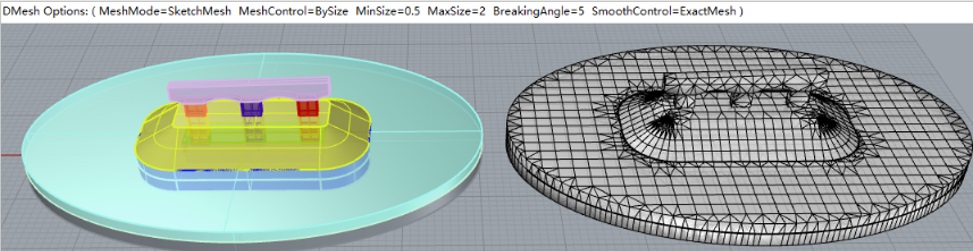
2. Select the meshes and use the DDiagnose command and move the meshes apart. The following issues can be seen: 1. Conflicting faces represented by red lines; 2. Unclosed faces represented by purple lines; then use the DRepair command to fix errors, and use the DDiagnose command to check. As shown below, all issues have been resolved.

3. Use the DRemesh command to perform high-quality remeshing, use the DSeparate command to separate the meshes, then use the DColorize command to color them.
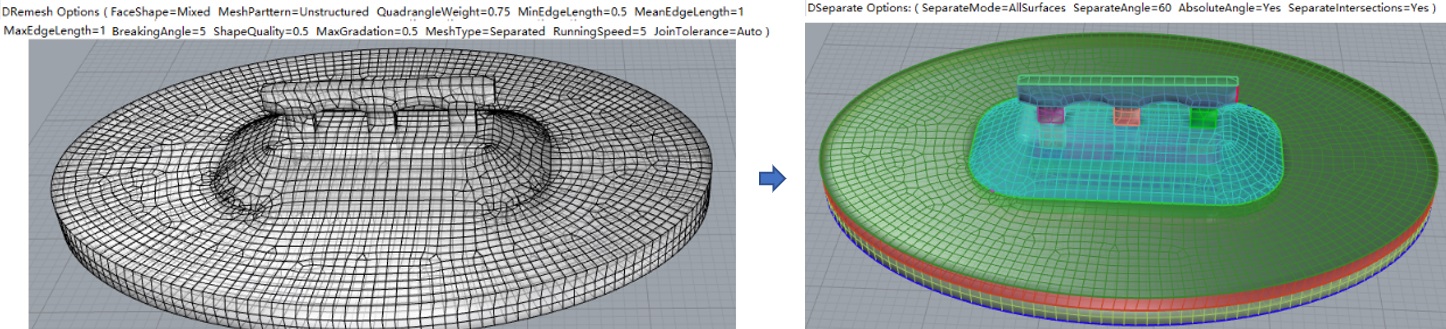
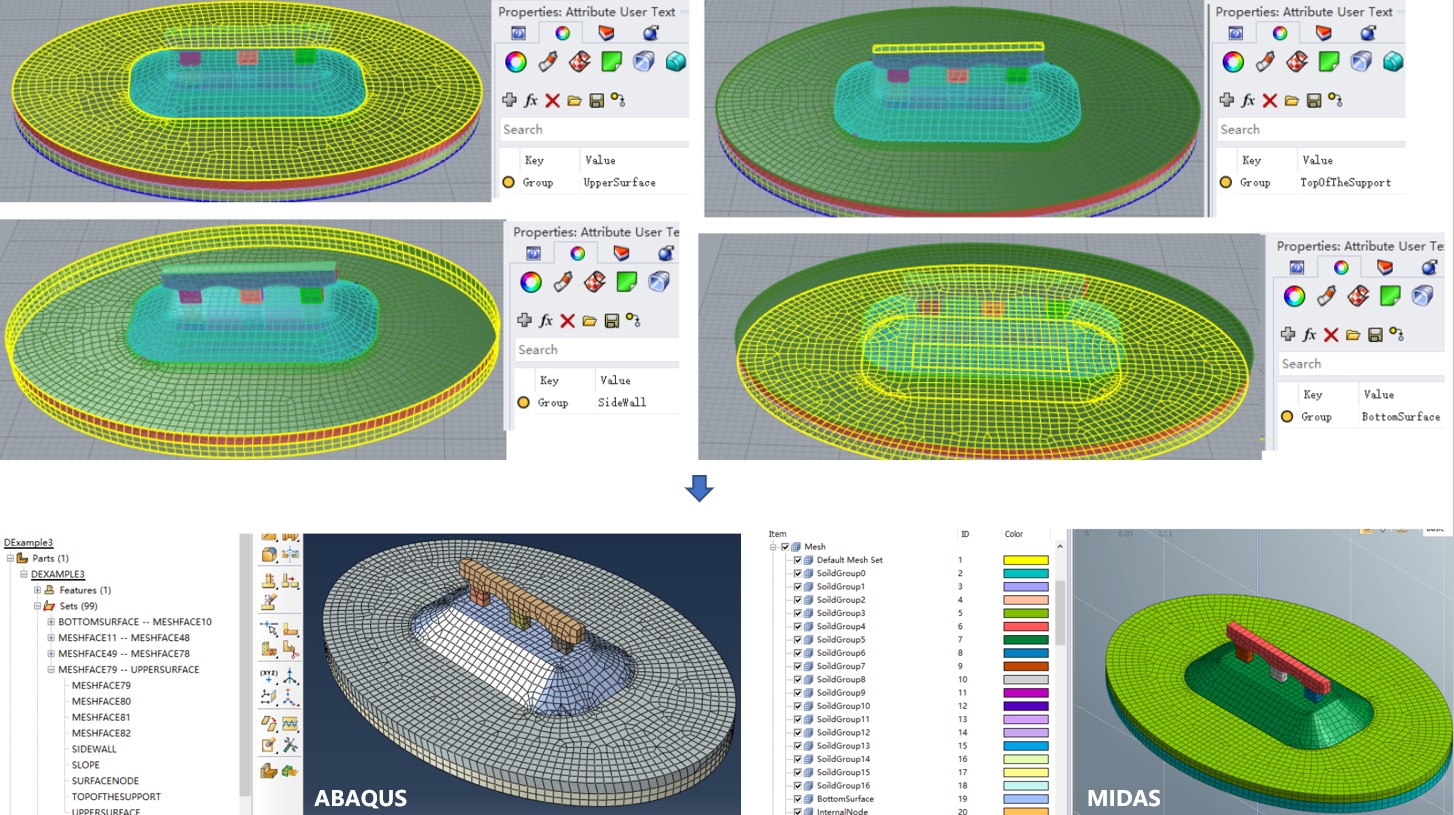
4. Set mesh groups (the mesh model up to this point is DExample3-After.3dm), then use the Build command to build the finite element model (here are the related model files: DExample3.inp, DExample3.mac, DExample3.fpn and DExample3.f3grid).