| QuickStart | Tutorials | Download | Purchase | Support |
| Reference | ||||||
 DAuthorize DAuthorize |
 DBuild DBuild |
 DBuy DBuy |
 DCheck DCheck |
 DColorize DColorize |
 DDelete DDelete |
 DDiagnose DDiagnose |
 DEdit DEdit |
 DEmbed DEmbed |
 DExtrude DExtrude |
 DHatch DHatch |
 DHelp DHelp |
 DMerge DMerge |
 DMesh DMesh |
 DOrder DOrder |
 DProject DProject |
 DRead DRead |
 DRemesh DRemesh |
 DRepair DRepair |
 DSeparate DSeparate |
 DUpdate DUpdate |
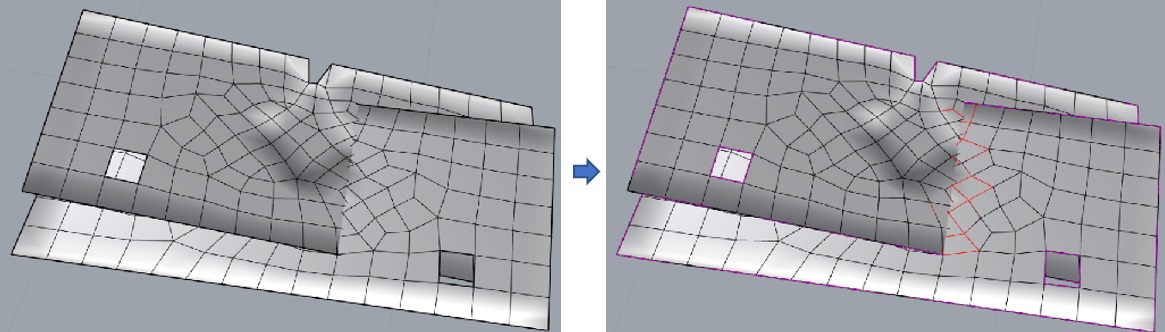
DDiagnose command diagnoses holes and conflicting faces in a mesh.
Select the mesh to be diagnosed and use this command. Afterwards, holes in the mesh will be marked with purple lines and conflicting faces will be marked with red lines.
Here is an example you can try: DDiagnose.3dm.