| QuickStart | Tutorials | Download | Purchase | Support |
| Reference | ||||||
 DAuthorize DAuthorize |
 DBuild DBuild |
 DBuy DBuy |
 DCheck DCheck |
 DColorize DColorize |
 DDelete DDelete |
 DDiagnose DDiagnose |
 DEdit DEdit |
 DEmbed DEmbed |
 DExtrude DExtrude |
 DHatch DHatch |
 DHelp DHelp |
 DMerge DMerge |
 DMesh DMesh |
 DOrder DOrder |
 DProject DProject |
 DRead DRead |
 DRemesh DRemesh |
 DRepair DRepair |
 DSeparate DSeparate |
 DUpdate DUpdate |
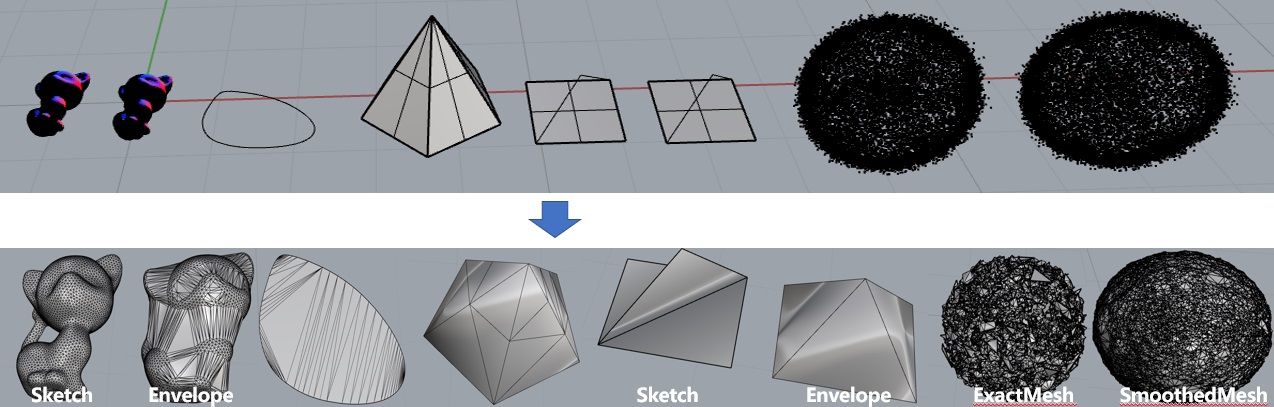
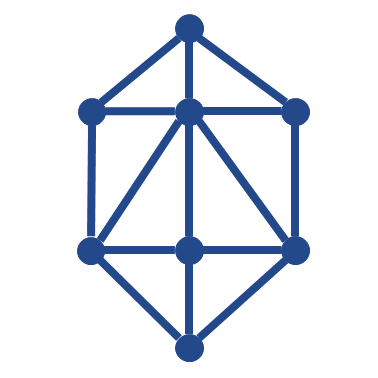
DMesh meshes different types of geometric objects.
This command has the following parameters:
MeshMode - Defines the meshing mode. If MeshMode = SketchMesh, each object is meshed individually and then merged. If MeshType = EnvelopeMesh, meshing is performed based on the envelope surface;
MeshControl - Defines the mesh control mode. If MeshControl = BySize, mesh is controlled by size, where MinSize = minimum mesh face size, MaxSize = maximum mesh face size. If MeshControl = ByCount, meshing is controlled by segment count, where MinCount = minimum number of mesh segments, CurveMaxCount = maximum number of mesh segments.
BreakingAngle = Angle to break curves into polylines;
SmoothControl = Defines whether to smooth points. If SmoothControl = ExactMesh, every point appears in the output mesh. If SmoothControl = SmoothedMesh, nearby points are merged before meshing, where NoiseNeighbors = number of neighboring points to merge.
Select the geometric objects to be meshed and run the command.
Here is an example you can try: DMesh.3dm.