| QuickStart | Tutorials | Download | Purchase | Support |
| Reference |  DAuthorize DAuthorize |
 DBuild DBuild |
 DBuy DBuy |
 DCheck DCheck |
 DColorize DColorize |
 DDelete DDelete |
 DDiagnose DDiagnose |
 DEdit DEdit |
 DEmbed DEmbed |
 DExtrude DExtrude |
 DHatch DHatch |
 DHelp DHelp |
 DMerge DMerge |
 DMesh DMesh |
 DOrder DOrder |
 DProject DProject |
 DRead DRead |
 DRemesh DRemesh |
 DRepair DRepair |
 DSeparate DSeparate |
 DUpdate DUpdate |
| Tutorial examples: | Example-0 | Example-1 | Example-2 | Example-3 | Example-4 | Example-5 |
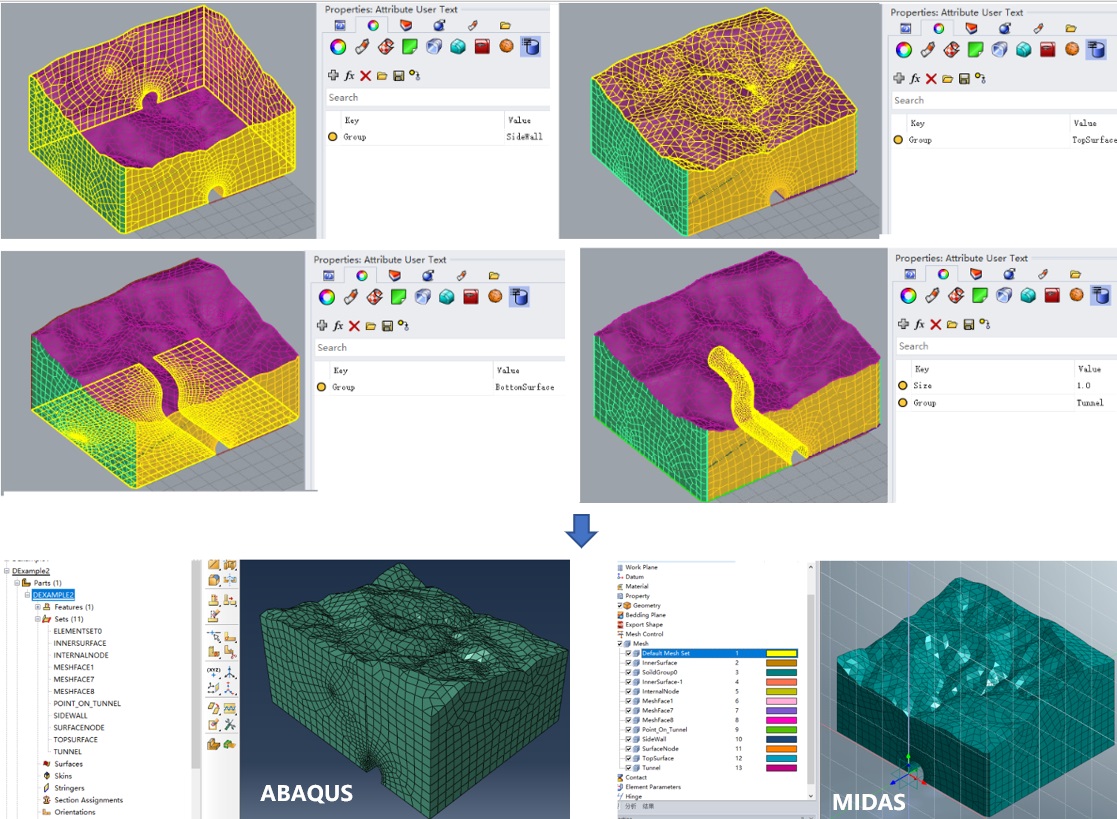
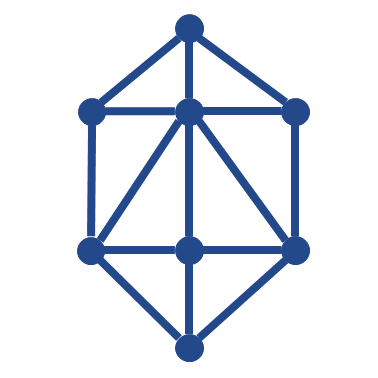
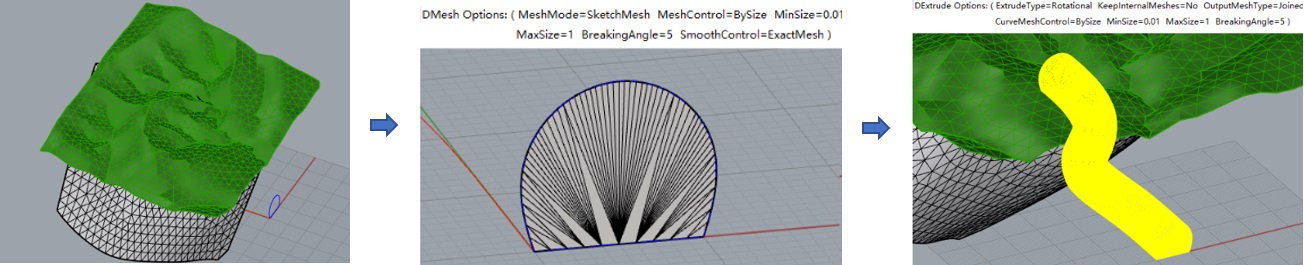
1. Use the DRead command to read the above file, select the tunnel curves and use the DMesh command, then select the meshes and curves and use the DExtrude command to build the tunnel.
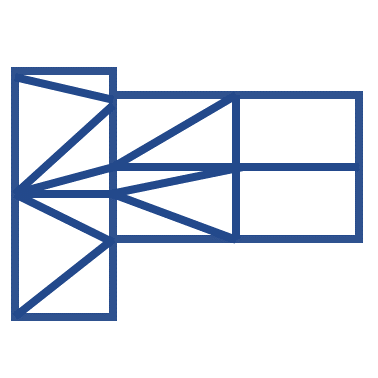
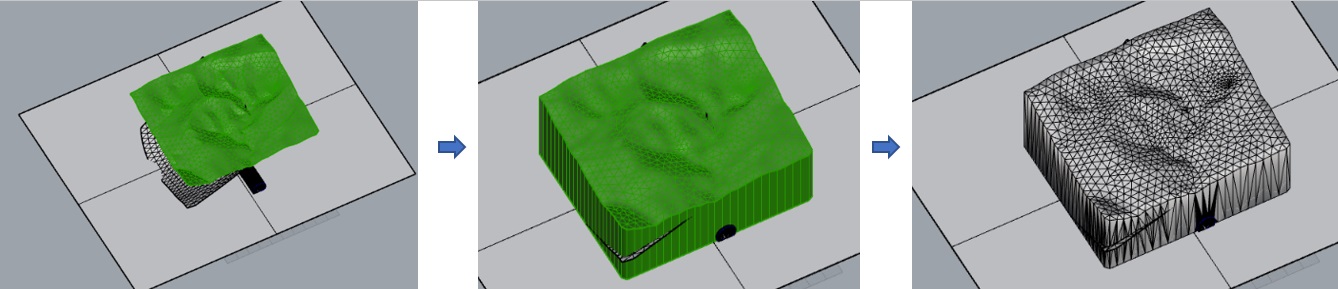
2. Use the Plane command to draw a plane, use the DProject command to create the soil mesh, then use the DMerge command to merge (MeshType=Joined).
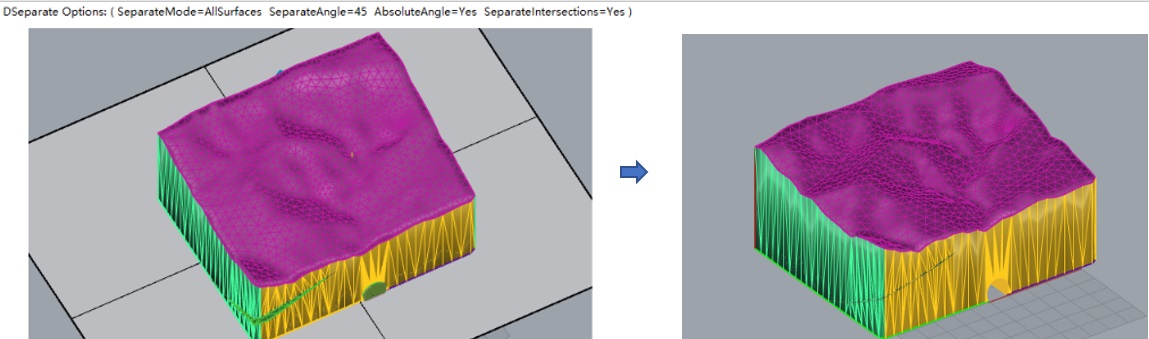
3. Use the DSeparate command to separate the meshes (SeparateMode=AllSurfaces), use the DColorize command to color, then delete unnecessary curves, surfaces, and meshes.
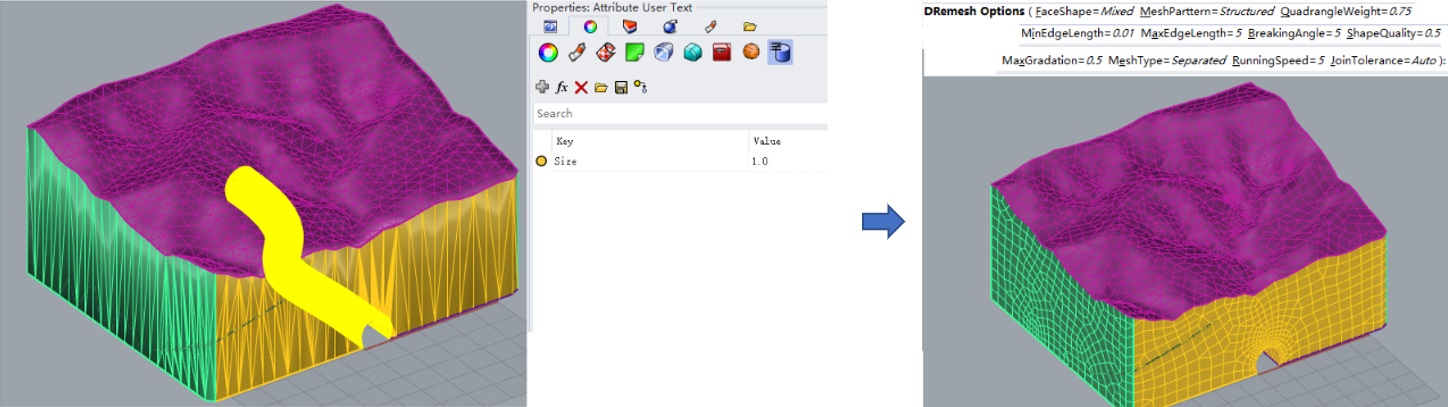
4. Add the key "Size" to the user attribute text of the tunnel mesh and set its value to 1.0, then use the DRemesh command again for remeshing.
5. Set mesh groups and types (the mesh model up to this point is DExample2-After.3dm), then use the Build command to build the finite element model (here are the related model files: DExample2.inp, DExample2.mac, DExample2.fpn and DExample2.f3grid).