| 快速入门 | 案例教程 | 软件下载 | 产品购买 | 技术支持 |
| 命令说明 |  DAuthorize DAuthorize |
 DBuild DBuild |
 DBuy DBuy |
 DCheck DCheck |
 DColorize DColorize |
 DDelete DDelete |
 DDiagnose DDiagnose |
 DEdit DEdit |
 DEmbed DEmbed |
 DExtrude DExtrude |
 DHatch DHatch |
 DHelp DHelp |
 DMerge DMerge |
 DMesh DMesh |
 DOrder DOrder |
 DProject DProject |
 DRead DRead |
 DRemesh DRemesh |
 DRepair DRepair |
 DSeparate DSeparate |
 DUpdate DUpdate |
| 案例导航: | 案例0 | 案例1 | 案例2 | 案例3 | 案例4 | 案例5 |
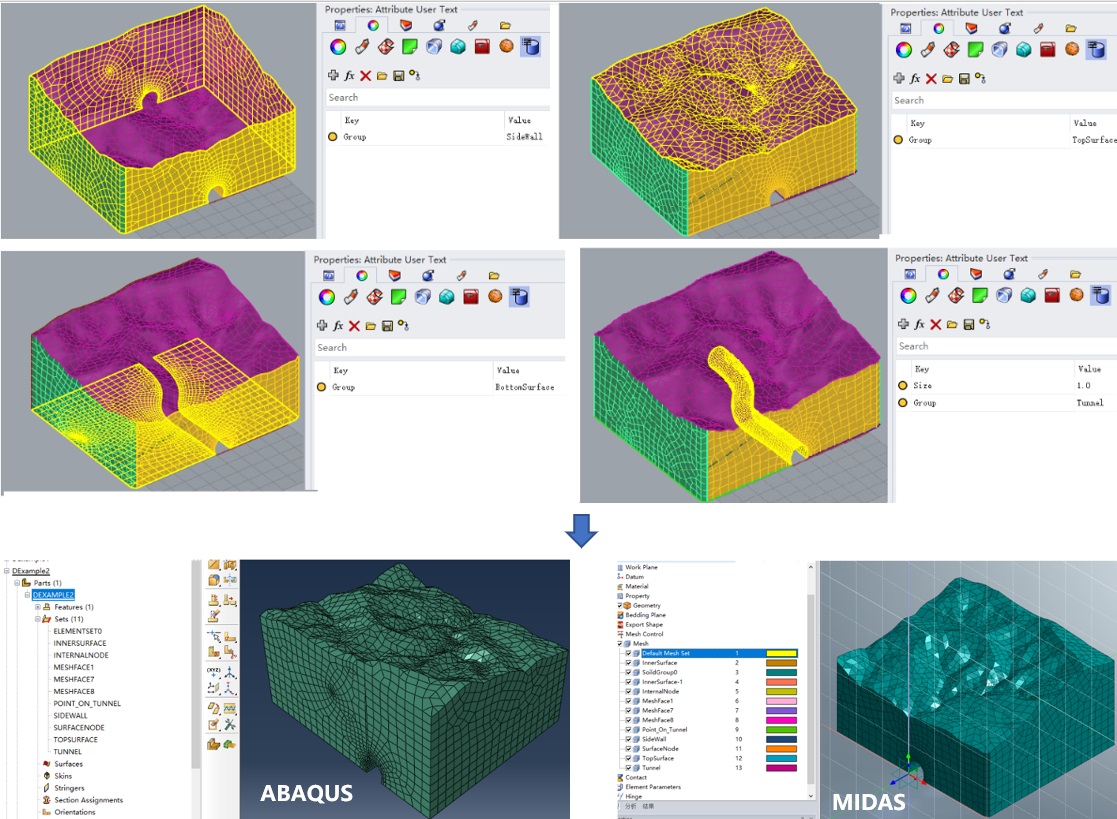
在本例中,我们将通过从dxf文件DExample2.dxf中曲线及网格来创建隧道-断层的有限元模型。
1. 使用DRead命令读取上述文件,选择隧道曲线并使用DMesh命令,再选择网格及曲线并使用DExtrude命令建立隧道。
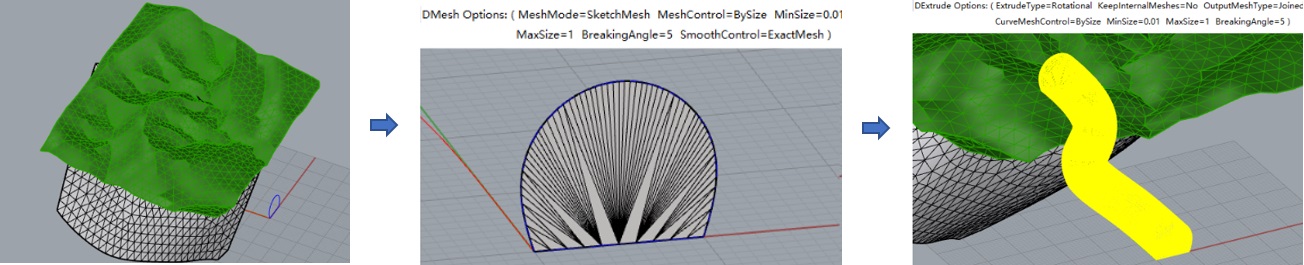
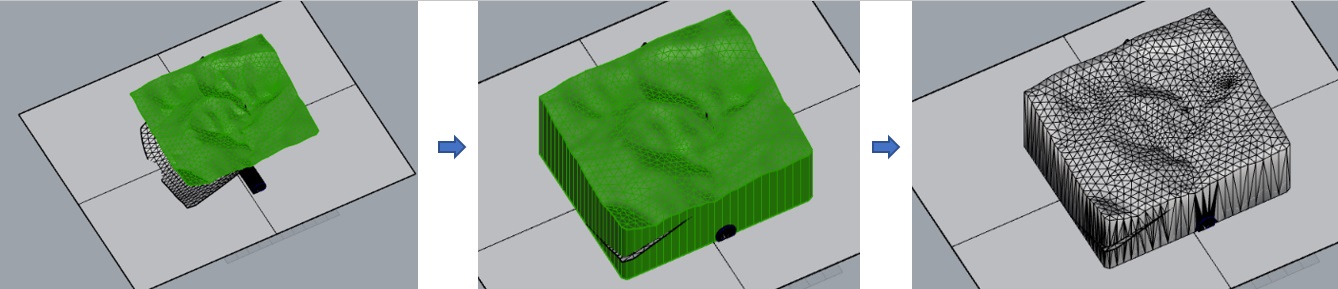
2. 使用Plane命令画一平面,使用DProject命令来创建土体的网格,再使用DMerge命令行融合(MeshType=Jioned)。
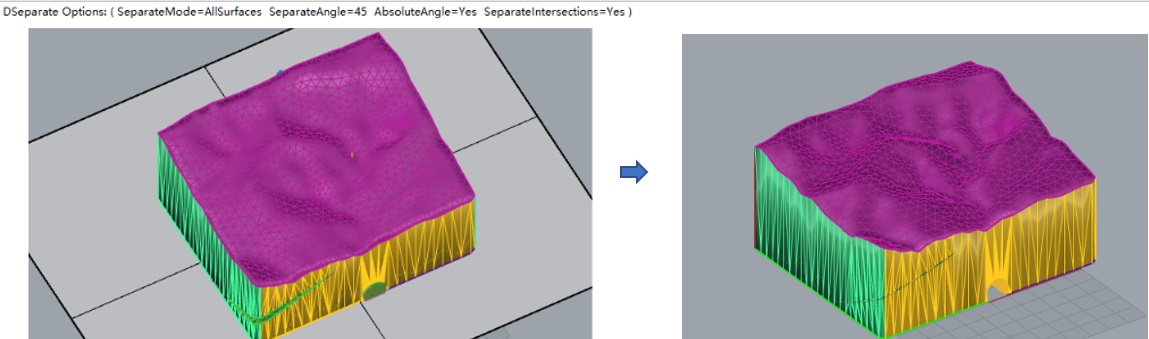
3. 使用DSeparate命令分割网格(SeparateMode=AllSurfaces),使用DColorize命令着色,再删除无用的曲线、曲面及网格。
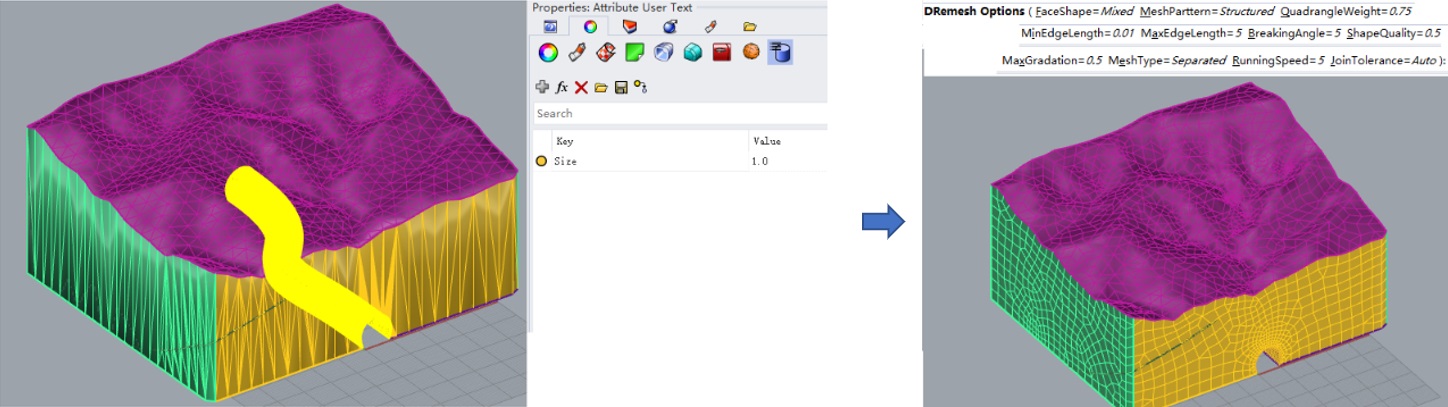
4. 对隧道网格的用户属性文本添加键“Size”并设置其值为1.0,再次使用DRemesh命令来进行网格重划分。
5. 设置网格分组及类型(到此处的网格模型为DExample2-After.3dm),再使用Build命令建立有限元模型(这是相关模型文件:DExample2.inp,DExample2.mac,DExample2.fpn及DExample2.f3grid)。